
What Is IPTV? The Complete Beginner's Guide for USA Users in 2026
If you have been asking what is IPTV and whether it can replace your cable subscription in 2026, you are in the right place. I'm Yassine, and after 3 years testing IPTV services on Amazon Firestick, Smart TVs, and Android boxes across the USA, I can explain exactly what IPTV is, how it works, and whether it is the right choice for your household — without the technical jargon that makes most explanations confusing.
IPTV stands for Internet Protocol Television. In plain English, it means watching live TV channels, movies, and sports through your internet connection instead of a cable wire or satellite dish. Every major streaming service you already use — YouTube TV, Hulu Live TV, Sling TV, and ESPN+ — is technically an IPTV service. The difference is that third-party IPTV providers offer far more channels at a much lower monthly cost than these licensed platforms.
This guide covers everything you need to know about IPTV in 2026 — how the technology works, what devices support it, how it compares to cable, what it costs, and how to get started today. If you are ready to set up IPTV on your Firestick right now, jump straight to our complete IPTV installation guide for Firestick.
Why Millions of USA Households Are Switching to IPTV in 2026
Understanding what is IPTV starts with understanding why it has become the fastest-growing alternative to cable TV in the United States. The average American household pays $217 per month for cable TV and internet combined — and that number has increased every year for the past decade. IPTV delivers the same live channels, sports, and on-demand content for under $20 per month, using the internet connection you are already paying for.
The cord-cutting movement in the USA accelerated dramatically between 2023 and 2026. Over 25 million US households cancelled cable subscriptions in that period, with the majority switching to a combination of streaming services and IPTV. The driving factors are simple: cost savings of $150-200 per month, no long-term contracts, no hardware rental fees, and the ability to watch on any device including Firestick, Smart TV, phone, and tablet simultaneously.
IPTV also solves one of the biggest frustrations with traditional streaming services — fragmentation. Instead of paying separately for Netflix, ESPN+, Hulu, Peacock, and Paramount+ to get all the content you want, a single IPTV subscription delivers live sports, news, entertainment, and international channels in one place. For USA sports fans especially, IPTV is the only affordable way to get NFL, NBA, MLB, NHL, and UFC all in one subscription without paying cable prices.
Now that you understand why IPTV has become so popular, let's look at exactly how the technology works — because understanding the mechanics helps you choose the right service and troubleshoot issues when they arise. You can also check our dedicated guide on best IPTV for Firestick USA for a full breakdown of the top providers available today.
How Does IPTV Work? The Technology Explained Simply
To fully understand what is IPTV, you need to know how it delivers content differently from cable and satellite. Traditional cable TV sends a continuous signal through a physical coaxial wire to your home — your TV receives every channel simultaneously, and you simply tune to the one you want. Satellite TV works the same way but uses a dish to receive a broadcast signal from space. Both methods are one-directional and always-on.
IPTV works completely differently. Instead of broadcasting all channels simultaneously, IPTV sends only the channel you are currently watching — on demand, as a compressed data stream over your internet connection. This is the same technology that Netflix uses to stream movies, except IPTV applies it to live TV channels and sports broadcasts in real time. The result is a more efficient system that uses far less bandwidth and can be accessed from any device with an internet connection anywhere in the world.
| Feature | Cable TV | Satellite TV | IPTV |
|---|---|---|---|
| Delivery method | Physical coaxial wire | Satellite dish | Internet connection |
| Hardware required | Cable box + installation | Dish + receiver | Any smart device |
| Average monthly cost | $80–$150 | $60–$120 | $10–$20 |
| Contract required | Usually 1–2 years | Usually 2 years | No contract |
| Channel count | 200–500 | 150–330 | 10,000–25,000+ |
| 4K content | Limited | Limited | ✅ Wide availability |
| International channels | Very limited | Limited | ✅ Thousands |
| Works on Firestick | ❌ No | ❌ No | ✅ Yes |
IPTV content is delivered in three formats. Live IPTV streams channels in real time — exactly like cable, but over the internet. Time-shifted IPTV allows you to pause, rewind, and replay live TV — a feature cable charges extra for. Video on Demand (VOD) gives you access to a library of movies and TV series you can watch at any time. Most premium IPTV subscriptions include all three formats in a single package.
Network type matters more for IPTV than most users realize. A wired Ethernet connection eliminates Wi-Fi buffering entirely — the Amazon Ethernet Adapter for Fire TV Stick costs under $15 and is the single most effective upgrade for any Firestick IPTV setup. If wired is not possible, use the 5 GHz Wi-Fi band and position your router as close to your device as possible.
The technical infrastructure behind IPTV consists of a content server (where the channels are hosted), a middleware platform (which manages user authentication and channel delivery), and a client application on your device (the IPTV player app). Understanding this three-layer structure helps explain why provider quality varies so much — the server infrastructure is what determines whether your stream is stable or constantly buffering. Now let's look at exactly what devices support IPTV and which one is right for your setup.
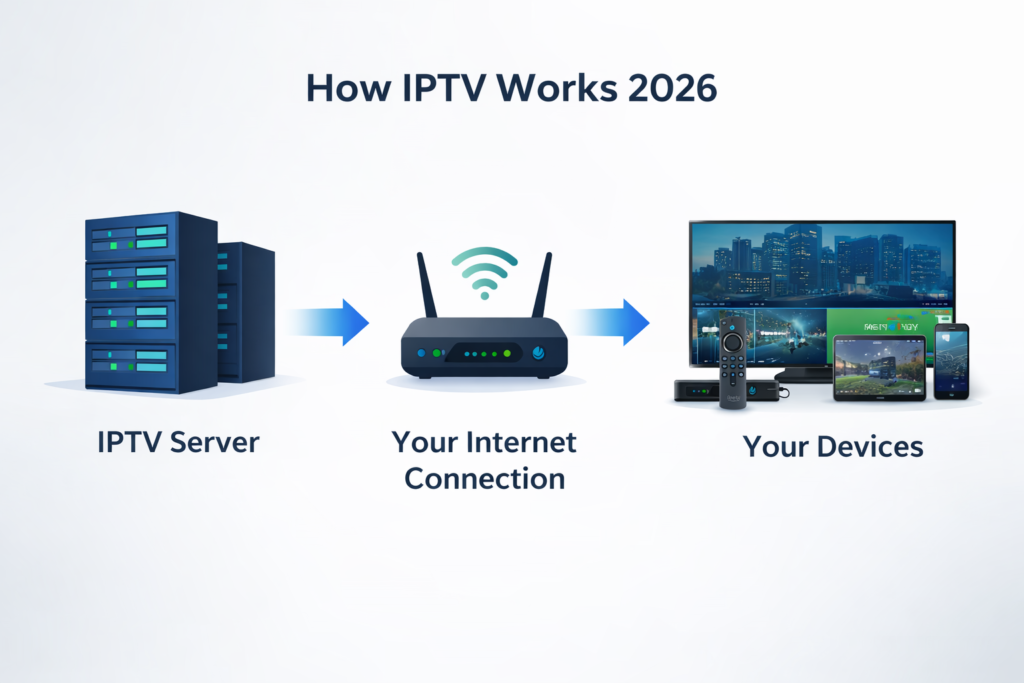
What Devices Support IPTV in 2026? Full Compatibility Guide
One of the biggest advantages of IPTV over cable is device flexibility. Understanding what is IPTV means understanding that it works on virtually any internet-connected screen — from your living room TV to your smartphone. Here is a complete breakdown of every device that supports IPTV in 2026 and which one delivers the best experience:
| Device | IPTV Support | Best App | Performance | Recommended For |
|---|---|---|---|---|
| Amazon Firestick 4K Max | ✅ Excellent | IPTV Smarters / TiviMate | ⭐⭐⭐⭐⭐ | Best overall — most popular |
| Fire TV Cube | ✅ Excellent | IPTV Smarters / TiviMate | ⭐⭐⭐⭐⭐ | 4K power users |
| Android TV / Google TV | ✅ Excellent | TiviMate / XCIPTV | ⭐⭐⭐⭐⭐ | Smart TV users |
| Apple TV | ✅ Good | GSE Smart IPTV | ⭐⭐⭐⭐ | Apple ecosystem users |
| Smart TV (Samsung/LG) | ✅ Good | Smart IPTV app | ⭐⭐⭐⭐ | Direct TV viewing |
| iPhone / iPad | ✅ Good | GSE Smart IPTV | ⭐⭐⭐⭐ | Mobile viewing |
| Android Phone/Tablet | ✅ Excellent | IPTV Smarters | ⭐⭐⭐⭐⭐ | Mobile viewing |
| Windows PC / Mac | ✅ Good | VLC / IPTV Smarters | ⭐⭐⭐⭐ | Desktop viewing |
| MAG Box | ✅ Excellent | Built-in portal | ⭐⭐⭐⭐⭐ | Dedicated IPTV hardware |
Amazon Firestick is the most popular IPTV device in the USA for three reasons: it costs under $50, plugs directly into any TV's HDMI port, and supports all major IPTV player apps either through the Amazon App Store or via sideloading. The Firestick 4K Max is the recommended model for smooth 4K IPTV streaming — its 2 GB RAM and MediaTek MT8696T processor handle even the most demanding live sports streams without dropping frames.
For a complete guide to setting up IPTV on your specific Firestick model, see our step-by-step Firestick IPTV installation guide. If you want to compare all available IPTV player apps before choosing one, our best IPTV apps for Firestick 2026 guide covers every option with performance scores.
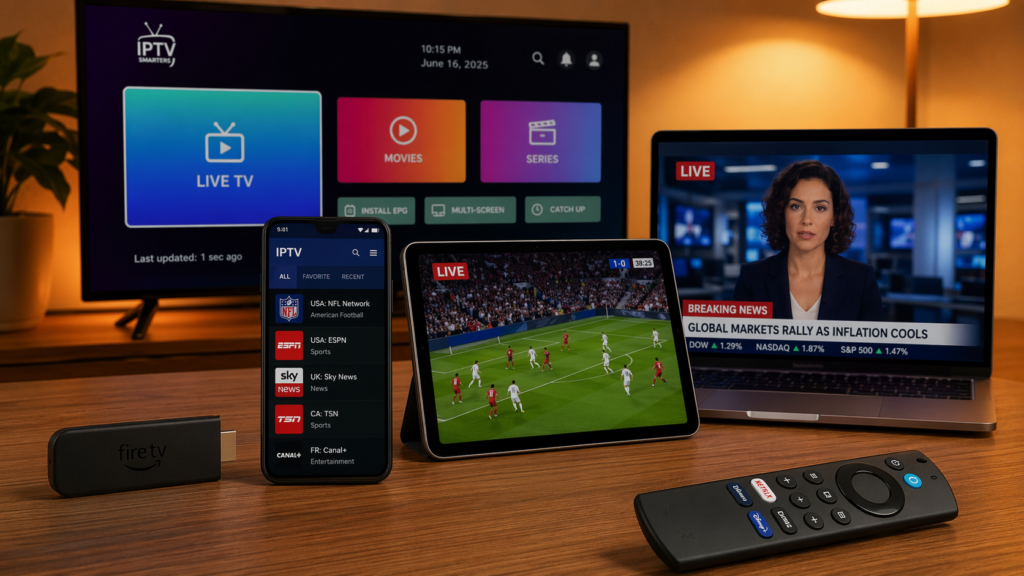
Types of IPTV Services: Which One Is Right for You in 2026?
Now that you understand what is IPTV and how it works, the next step is understanding the different types of IPTV services available — because not all providers are the same and choosing the wrong type is the most common mistake new users make.
1. Premium Paid IPTV Services — Best for Most Users
Premium IPTV services charge a monthly subscription fee (typically $10–$20/month) and provide access to 10,000–25,000+ live channels including all major US sports networks, international channels, and a large VOD library. These services invest in dedicated server infrastructure, customer support, and regular channel updates. Globall-TV is an example of a premium USA-focused IPTV service that delivers stable 4K streams on Firestick with 24/7 support and a free trial available before you commit to a subscription.
- ✅ 10,000–25,000+ live channels
- ✅ Stable streams with dedicated server infrastructure
- ✅ Customer support and regular updates
- ✅ Free trial available on most services
- ⚠️ Monthly cost $10–$20
2. Free IPTV Services — High Risk, Low Reward
Free IPTV services exist but come with significant drawbacks that make them unsuitable for regular use. Free services rely on ad revenue or reselling user data, have unstable servers that buffer constantly, offer limited channel selection, and are frequently shut down without warning. For occasional testing purposes a free service may work, but for reliable daily viewing of live sports and entertainment, a paid premium service is the only practical option.
- ✅ No monthly cost
- ⚠️ Constant buffering and freezing
- ⚠️ Limited channel selection
- ⚠️ Frequently shut down without notice
- ⚠️ Privacy and security risks
3. Licensed IPTV Platforms — Most Expensive but Fully Legal
Licensed IPTV platforms like YouTube TV ($72/month), Hulu Live TV ($76/month), and Sling TV ($40/month) are fully licensed services with broadcast rights agreements. They offer a smaller channel selection than premium third-party IPTV services but come with the full legal protection of a licensed provider. For users who prioritize absolute legal certainty above cost savings, these platforms are the safest choice.
- ✅ Fully licensed — no legal gray area
- ✅ Reliable infrastructure backed by major companies
- ⚠️ $40–$76/month — significantly more expensive
- ⚠️ Fewer channels than premium third-party IPTV
4. IPTV Resellers — Avoid Unless You Know the Source
IPTV resellers purchase wholesale access from a primary provider and resell it at a markup through social media, forums, or websites. The quality varies enormously depending on the underlying primary provider. Some resellers offer legitimate premium service at competitive prices, while others disappear with your payment within weeks. If you choose a reseller, verify the primary provider behind the service and look for established businesses with verifiable customer reviews rather than anonymous social media sellers.
For a detailed comparison of the best premium IPTV services available in the USA right now, see our complete IPTV services guide and our IPTV service provider guide which covers exactly what to look for before subscribing.
How to Get Started with IPTV in 2026: Step-by-Step for Beginners
Now that you know what is IPTV and which type of service is right for you, here is exactly how to get started — from zero to watching live TV in under 15 minutes.
- Choose your device
The Amazon Firestick 4K Max is the recommended starting point for USA users — it costs under $50 at Amazon, plugs into any TV's HDMI port, and requires zero technical setup beyond plugging it in and connecting to Wi-Fi. If you already have a Smart TV with Android TV or Google TV built in, you can install IPTV apps directly without buying any additional hardware. For mobile viewing on iPhone or Android, IPTV apps are available in both the App Store and Google Play. Pick the device you already have or are most comfortable with — IPTV works equally well on all of them with the right app. - Choose your IPTV service and sign up
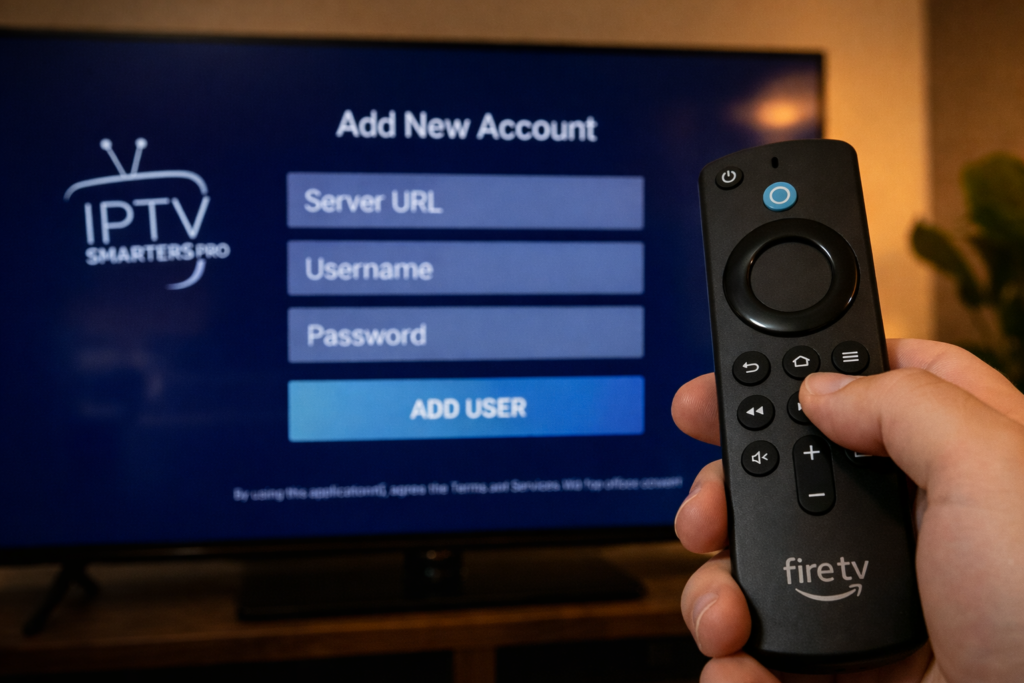
Select a premium IPTV provider that matches your viewing needs — live sports, international channels, family entertainment, or a combination. Look for providers that offer a free trial before payment, have verifiable customer reviews, and provide 24/7 customer support. Avoid providers that only communicate through Telegram or WhatsApp with no website presence — these are typically resellers with no accountability. After signing up you will receive login credentials via email — either an Xtream Codes login (server URL, username, password) or an M3U playlist URL. Keep this email accessible during setup. - Install your IPTV player app
On Firestick, open the Amazon App Store and search for "IPTV Smarters Pro" — this is the most beginner-friendly option and requires no sideloading. On Android TV or Android phone, download IPTV Smarters or TiviMate from the Google Play Store. On iPhone or iPad, download GSE Smart IPTV from the App Store. On Samsung or LG Smart TV, search for "Smart IPTV" in the TV's app store. All these apps are free to download — you only pay for your IPTV subscription, not the player app itself. - Enter your IPTV credentials
Open your IPTV player app and navigate to the Add Playlist or Add Account section. For Xtream Codes login, enter your server URL, username, and password exactly as provided in your welcome email — check carefully for extra spaces, capital letters, or missing characters. For M3U URL, paste the full URL from your welcome email. Give your account a name (for example "Globall-TV") and press confirm. The app will connect to the server and load your full channel list — this takes 30–120 seconds on first load depending on your subscription's channel count. - Browse channels and set up favorites
Once your channels load, explore the channel categories — Live TV, Sports, Movies, Series, and VOD. Find your most-watched channels and add them to a Favorites list for quick access. In IPTV Smarters, tap the star icon on any channel to favorite it. Setting up a Sports favorites group and an Entertainment favorites group before you start watching saves significant time during daily use. The EPG (Electronic Program Guide) shows you what is currently airing and what is coming up — allow 5–10 minutes for it to fully populate on first launch. - Optimize your setup for best performance
For the best IPTV experience, connect your device to your router via Ethernet if possible — this eliminates Wi-Fi buffering entirely. If you are using Wi-Fi, connect to the 5 GHz band rather than 2.4 GHz for more stable streaming. In your IPTV player settings, set the video decoder to Hardware rather than Software for smoother 4K playback on supported devices. Clear your app cache once per week to maintain fast channel switching speeds. If you experience any issues during setup, our guide on fixing IPTV login errors on Firestick covers every common problem with step-by-step solutions.
7 Essential IPTV Tips Every Beginner Needs to Know in 2026
After helping thousands of USA users understand what is IPTV and get set up successfully, these are the seven tips that make the biggest difference for new users — the mistakes most beginners make and how to avoid them from day one.
Always Test Before You Pay
Every legitimate premium IPTV provider offers a free trial before charging you anything. Always test the service on your specific device and internet connection before paying — what works perfectly for one user may buffer on another setup due to server location, device type, or ISP differences. A 24-hour free trial is enough time to test your most important channels during both off-peak and peak hours. Never pay for a full month without testing first.
Use the Right App for Your Device
Using the wrong IPTV player app is the most common cause of poor performance — not the service itself. IPTV Smarters Pro is the best starting point for Firestick and Android users. TiviMate offers the best EPG experience for sports fans on Firestick. GSE Smart IPTV works best on Apple devices. Using a player that is not optimized for your device causes unnecessary buffering, crashes, and slow channel switching even with a premium subscription.
Understand the Difference Between M3U and Xtream Codes
When you sign up for an IPTV service you will receive credentials in one of two formats. An M3U URL is a single link that contains your full channel list — simple to use but slower to load on large playlists. Xtream Codes login (server URL, username, password) connects your app directly to the provider's server for faster loading and better EPG integration. If your provider offers both formats, use Xtream Codes for the best performance on Firestick and Android devices.
Never Share Your IPTV Credentials
Your IPTV login credentials are tied to a specific number of simultaneous connections — typically 1 or 2. Sharing your credentials with others uses up your connection allowance and causes your own stream to be interrupted when the connection limit is reached. If you need multiple simultaneous streams for different TVs in your home, purchase a multi-connection plan rather than sharing a single-connection subscription.
Keep Your IPTV App Updated
IPTV player apps release updates regularly to fix compatibility issues with new Firestick firmware, improve EPG loading speed, and add new features. Check for app updates once per month in the Amazon App Store or Google Play Store. Running an outdated app version is a common cause of login failures and stream quality issues that have nothing to do with your IPTV service. Our guide on IPTV Smarters not working on Firestick covers version-specific fixes in detail.
Set a Realistic Internet Speed Expectation
IPTV requires a stable minimum speed — not just a fast peak speed. A connection that shows 100 Mbps in a speed test but has high jitter and packet loss will buffer on IPTV streams more than a stable 25 Mbps connection. If you experience buffering despite having fast internet, the issue is usually connection stability rather than speed. A wired Ethernet connection eliminates most stability issues instantly and is the single most effective upgrade for any IPTV setup.
Know Where to Get Help When Things Go Wrong
IPTV issues are almost always solvable with the right troubleshooting steps. Before contacting your provider's support, check our dedicated troubleshooting guides — IPTV not working on Firestick covers buffering, freezing, and black screen issues, while fixing IPTV login errors covers authentication and EPG problems. Most issues are resolved in under 10 minutes with the correct fix.
Is IPTV Legal in the USA? What Every New User Needs to Know
One of the most common questions from users who are learning what is IPTV is whether it is legal to use in the United States. The short answer is: IPTV technology itself is completely legal. The services you already use — YouTube TV, Hulu Live TV, Sling TV, ESPN+, and Netflix — are all IPTV services operating legally under broadcast rights agreements with content owners.
The legality question applies specifically to the provider you choose. Licensed providers that have negotiated content agreements with networks and studios are fully legal to subscribe to and use. Unlicensed providers that retransmit copyrighted content without authorization operate in a legal gray area — the provider carries the legal risk, not the viewer, but using unlicensed services does come with reliability risks as these services are occasionally shut down by enforcement actions. For a complete and detailed breakdown of IPTV legality in the USA — including what the FCC says, how enforcement works, and how to identify a legitimate provider — read our full guide: Is IPTV Legal in the USA?
Frequently Asked Questions: What Is IPTV in 2026
What is IPTV and how is it different from Netflix?
IPTV stands for Internet Protocol Television — it is a technology that delivers TV channels and video content over an internet connection instead of through a cable wire or satellite dish. The key difference between IPTV and Netflix is that IPTV primarily focuses on live TV channels — sports, news, and entertainment broadcasting in real time — while Netflix is an on-demand only service with no live TV. A premium IPTV subscription gives you 10,000–25,000+ live channels plus a VOD library, while Netflix gives you on-demand content with no live TV at all. Many USA users combine a premium IPTV service for live sports and news with Netflix for on-demand entertainment.
How much does IPTV cost per month in the USA?
Premium IPTV services in the USA typically cost between $10 and $20 per month for a single-connection subscription. Multi-connection plans that allow 2–4 simultaneous streams cost $20–$35 per month depending on the provider. This compares to $72–$120 per month for licensed IPTV platforms like YouTube TV or Hulu Live TV, and $80–$150 per month for traditional cable packages. Most premium IPTV providers offer a free 24-hour trial before you pay anything — see our IPTV free trial guide for the best options available right now.
What internet speed do I need for IPTV?
The minimum internet speed for IPTV depends on the stream quality you want. For standard definition streams, 10 Mbps is sufficient. For 1080p HD streams, you need a stable 20–25 Mbps connection. For 4K Ultra HD streams, you need at least 50 Mbps with low latency and minimal packet loss. For households running multiple simultaneous IPTV streams on different devices, add 20–25 Mbps per additional stream. More important than raw speed is connection stability — a rock-solid 30 Mbps wired Ethernet connection outperforms a variable 100 Mbps Wi-Fi connection for IPTV streaming every time.
Can I use IPTV on multiple devices at the same time?
Yes, most premium IPTV providers offer multi-connection plans that allow 2, 3, or 4 simultaneous streams on different devices under one subscription. A single-connection plan means only one device can stream at a time — if a second device tries to connect, the first stream gets interrupted. For households with multiple TVs, Firesticks, phones, or tablets, a multi-connection plan is essential. Always confirm the number of simultaneous connections included in your plan before subscribing, and verify that the connections work across different devices and locations — not just multiple apps on the same TV.
What is the best IPTV service for beginners in the USA?
The best IPTV service for beginners in the USA is one that combines a simple setup process, reliable customer support, stable server infrastructure, and a free trial so you can test before paying. Globall-TV ticks all these boxes — it works directly with IPTV Smarters Pro on Firestick with a simple Xtream Codes login, offers 24/7 support with under 2-hour response times, and includes a free trial with no credit card required. For a full comparison of all available services, see our best IPTV for Firestick 2026 guide and our best IPTV services roundup covering all devices.
One Response